Automatic mileage tracking built for gig drivers
Let MileLap record your driving in the background, then review, classify, and organize your trips afterward.
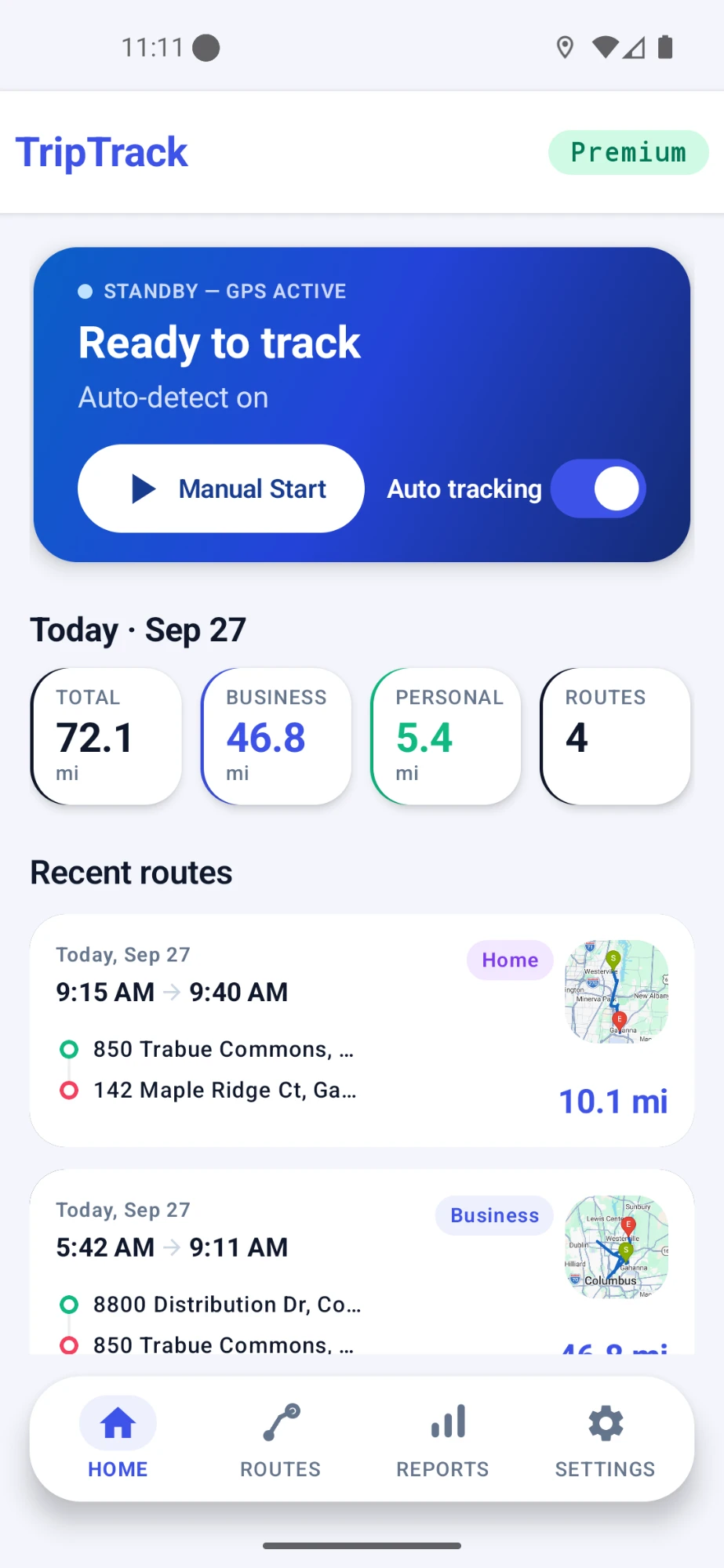
How automatic mileage tracking works
MileLap is designed to reduce the amount of manual work needed to keep a mileage history while still leaving the driver in control.
- 1
Step 1
Background monitoring
MileLap monitors for driving activity while automatic tracking is enabled.
- 2
Step 2
A trip is recorded
When driving is recognized, MileLap can create a trip record without requiring you to start it manually.
- 3
Step 3
Review the drive
Afterward, review the route, distance, map details, and other trip information.
- 4
Step 4
Classify and organize
Keep business, commute, and personal driving organized in your mileage history.
Two ways to track, one trip history
Automatic tracking handles much of the routine recording, while manual tracking gives you direct control whenever you need it.
Automatic tracking
- Records driving without requiring a manual start for every trip
- Useful for busy delivery days with frequent driving
- Keeps automatic trips in the same mileage history
Manual tracking
- Start a trip whenever you want direct control
- Useful for trips you want to record intentionally
- Works alongside automatically recorded trips
Keep different types of driving separate
Automatic tracking records the drive. You can then keep each trip organized as business, commute, or personal so your mileage history remains easier to review.
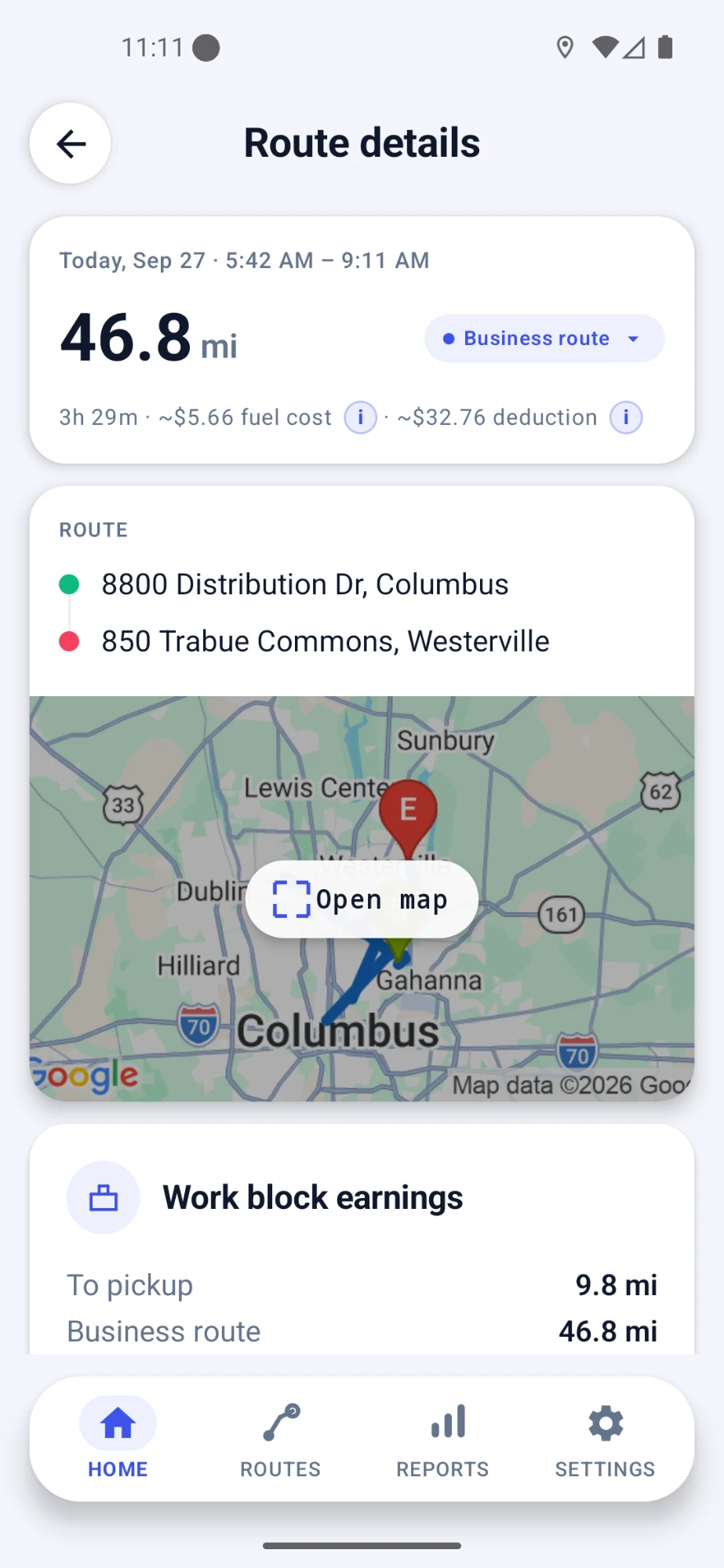
Review what happened after the drive
Automatic tracking is most useful when the resulting trips are easy to review later.
Review individual routes
Open a trip to see the recorded distance, route, map details, and classification.
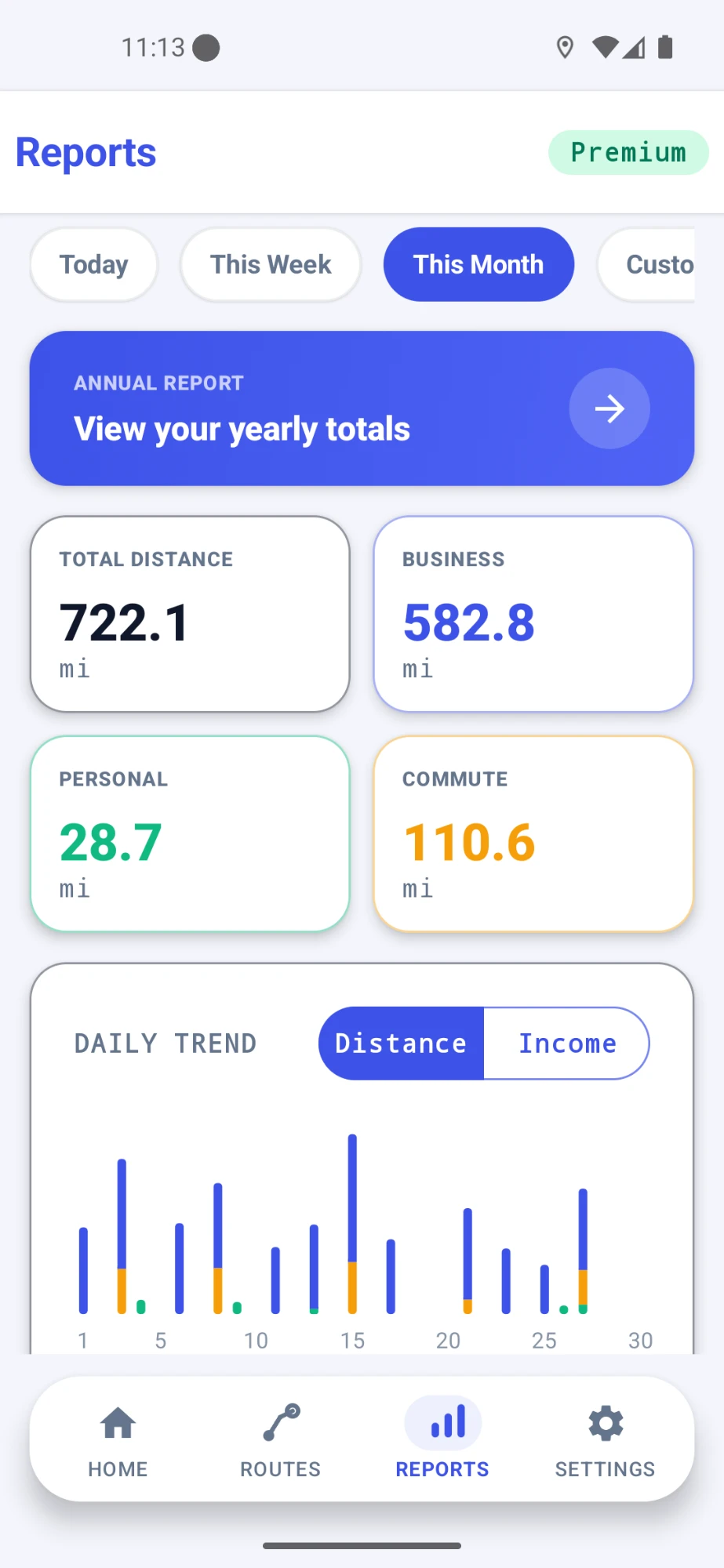
See your mileage over time
Use reports to review business, personal, and commute mileage across your trip history.
Designed to work while you drive
Automatic mileage tracking depends on Android location and background activity so MileLap can continue monitoring while you use other apps.
Works in the background
MileLap is designed to continue mileage monitoring while your delivery or navigation apps are on screen.
You stay in control
Automatic tracking can be enabled or disabled, and manual tracking remains available when you want direct control.
Location access is required
Automatic mileage tracking relies on the Android location permissions needed for background trip monitoring.
Automatic mileage tracking across gig work
MileLap records driving independently of the delivery platform you use, so the same mileage history can support different types of gig and delivery work.
Delivery Drivers
Automatic and manual mileage tracking for delivery work.
Amazon Flex
Track driving around blocks, station travel, delivery routes, and returns.
DoorDash
Keep mileage organized across pickups, deliveries, and repositioning.
Uber Eats
Track driving across pickups, drop-offs, and time between requests.
MileLap is an independent app. Platform names are used to describe compatible use cases and do not imply partnership with or endorsement by those companies.
Automatic mileage tracking FAQ
How does automatic mileage tracking work?
When automatic tracking is enabled, MileLap monitors for driving activity and can create trip records in the background. You can review and classify those trips afterward.
Can I still start a trip manually?
Yes. Automatic and manual tracking work alongside each other, so you can start a trip manually whenever you want direct control.
Does automatic mileage tracking work in the background?
MileLap is designed to continue mileage monitoring in the background while the required Android permissions and tracking settings are enabled.
Does MileLap know which delivery app I am using?
No. MileLap records driving independently of delivery platforms and does not need to connect to Amazon Flex, DoorDash, Uber Eats, or another delivery account.
Can I classify automatically recorded trips?
Yes. Recorded trips can be organized as business, commute, or personal so your mileage history remains easier to review.
Can I review routes after they are recorded?
Yes. MileLap keeps trip records that can include distance, route and map details, classification, and other trip information for later review.
Try automatic mileage tracking with MileLap
Start with your first 40 qualifying trips, then decide whether MileLap fits your delivery work.