Mileage tracking built for delivery drivers
Keep a clear record of the driving around pickups, deliveries, repositioning, and multi-app work without relying on memory later.
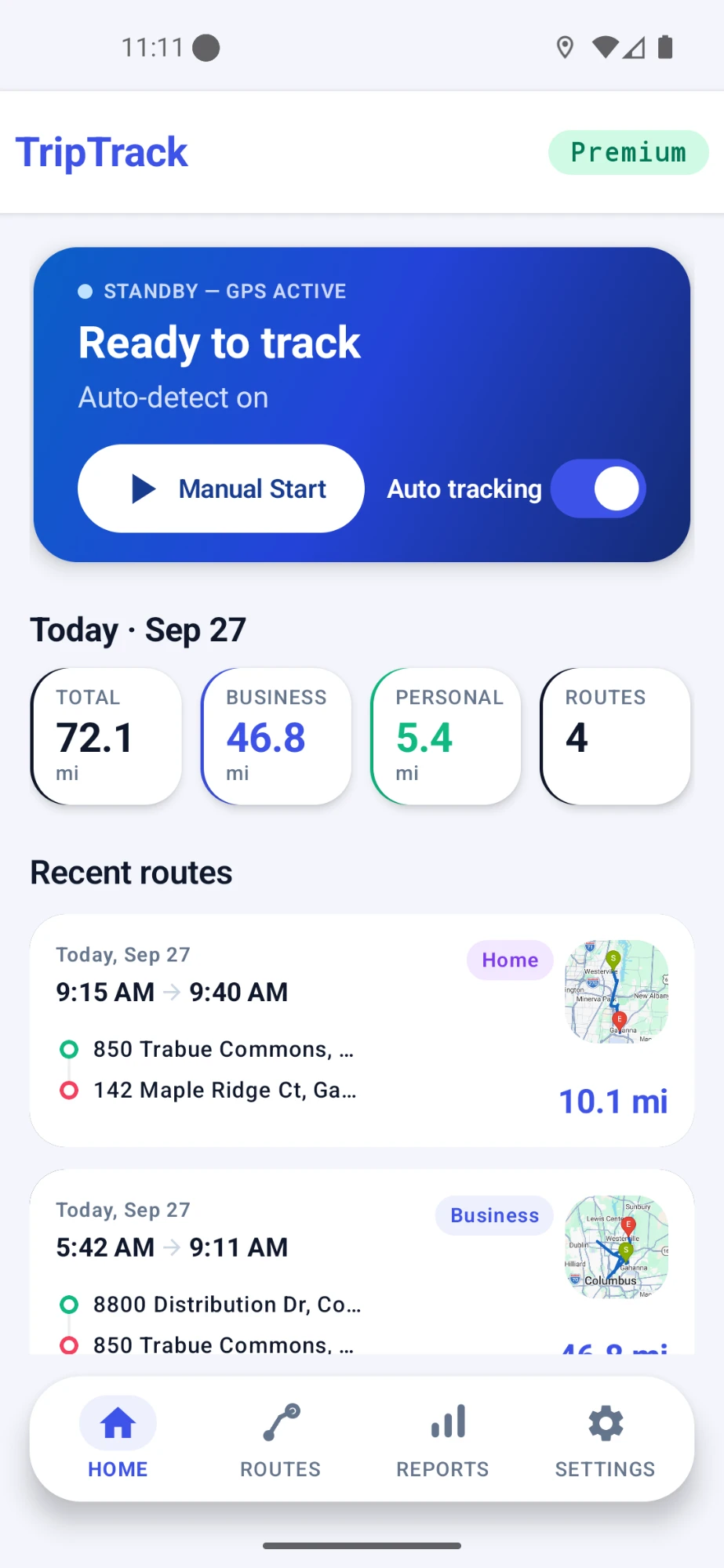
Delivery driving is more than pickup to drop-off
A delivery day can include short trips, repositioning, app switching, returns, and personal driving in between. Keeping those drives organized makes the day easier to review later.
Short trips add up
A busy delivery day can include dozens of separate drives that are difficult to reconstruct later.
The miles between orders still exist
Repositioning and travel between pickups can be easy to forget when you only remember completed deliveries.
Multi-app days blur together
When you switch between delivery apps or mix work and personal driving, one clear trip history makes the day easier to review.
Mileage situations delivery drivers deal with
Delivery work is rarely one simple point-to-point trip. MileLap helps keep the different parts of the day organized.
Driving to pickups
Record the drive to a restaurant, store, warehouse, or other pickup point before a delivery.
Delivery legs
Keep the driving from pickup locations to customer drop-offs in your trip history.
Repositioning
Record driving toward another area while waiting for the next delivery request.
Returns and extra stops
Keep additional driving visible when delivery work requires a return or another stop.
Multi-app driving
Keep one mileage history when you switch between delivery platforms during the same day.
Mixed work and personal driving
Separate delivery work from personal driving so the day is easier to review later.
How MileLap fits into a delivery day
- 1
Step 1
Start your delivery day
Begin driving for one or more delivery platforms.
- 2
Step 2
Track as you drive
Let MileLap record automatically, or start a trip manually when you want direct control.
- 3
Step 3
Classify trips
Keep business, commute, and personal driving organized as separate trip types.
- 4
Step 4
Review your records
Check route distance, map details, classification, and trip history afterward.
Track automatically, keep manual control
Use automatic background tracking for busy delivery days, or start and adjust trips manually when you want direct control.
Learn about automatic tracking →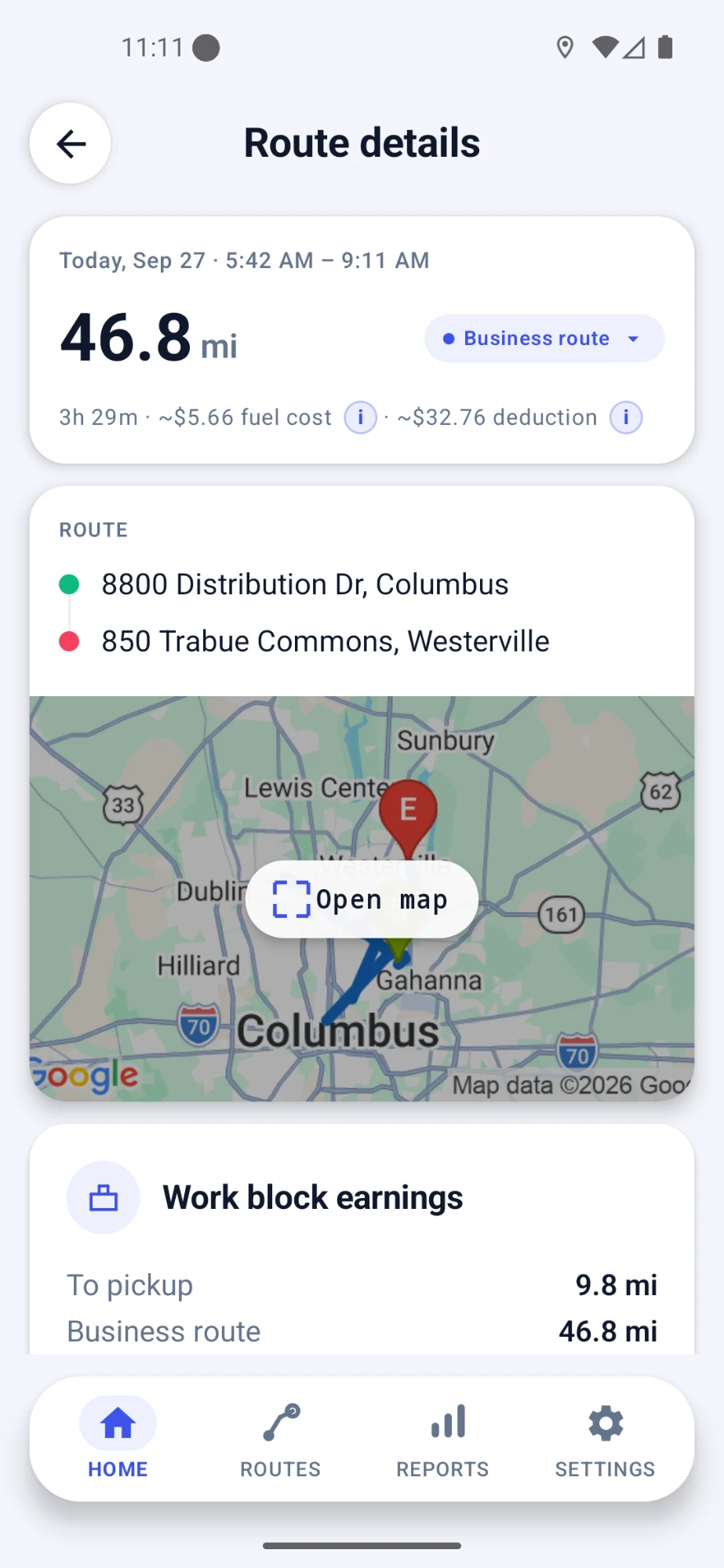
Use one mileage tracker across your delivery work
MileLap records driving independently of the delivery app you use, which makes it useful for drivers who work across more than one platform.
Amazon Flex
Mileage tracking built around blocks, station travel, delivery routes, and returns.
DoorDash
Keep mileage organized across pickups, deliveries, and time between orders.
Uber Eats
Track delivery driving across pickups, drop-offs, and repositioning between requests.
MileLap can also be used for other independent and multi-app delivery driving.
MileLap is an independent app. Platform names are used to describe compatible use cases and do not imply partnership with or endorsement by those companies.
Keep records you can review at tax time
Delivery drivers often need a clear history of business driving. MileLap keeps route, distance, and trip classification together so you can review your records later.
Tax information is provided for general educational purposes and is not tax or legal advice.
Delivery driver mileage FAQ
Does MileLap work with multiple delivery apps?
Yes. MileLap records driving independently of the delivery platform you use, so the same trip history can support delivery work across more than one app.
Can MileLap track delivery mileage automatically?
Yes. MileLap supports automatic background mileage tracking so your driving can be recorded while you focus on deliveries.
Can I track delivery mileage manually?
Yes. You can start a trip manually when you want direct control, and MileLap also supports adding or adjusting trip records manually.
How do I separate business, commute, and personal driving?
MileLap lets you classify trip records so business, commute, and personal driving remain organized separately.
Does MileLap need to connect to my delivery apps?
No. MileLap records driving independently and does not need to connect to a delivery platform account in order to keep mileage records.
What information should a delivery mileage record include?
Useful mileage records commonly include the date, distance, route or destination information, and the purpose or classification of the drive. For tax-specific guidance, see the Gig Driver Mileage Deduction Guide.
Start tracking your delivery mileage
Start with your first 40 qualifying trips, then decide whether MileLap fits your delivery work.